Plumbing Business Software: Jobber or Housecall Pro?
Housecall Pro lists a price book on every plan and flat-rate pricing, good-better-best proposals and equipment history from Essentials up, which suits plumbers who quote by the job. Jobber costs less at entry, drafts quotes with upsells such as water heater upgrades and expansion tanks, and dispatches emergency work to the closest technician, but its plumbing page does not describe a flat-rate price book. Solo plumbers watching cost can start with Jobber. Shops built on flat-rate service calls should demo Housecall Pro first.
Plumbing is an on-call trade. The Bureau of Labor Statistics reports that plumbers are often on call for emergencies, so evening and weekend work is common, and it counted 510,600 plumbing, pipefitting and steamfitting jobs in 2025 with a median pay of $63,800 a year. Software for that work has to do things a general scheduling app might not: dispatch a burst-pipe call to the nearest truck, let a plumber quote a water heater change-out from a menu, and bill a drain clearing at a fixed price instead of by the hour.
Jobber and Housecall Pro are the two published-price tools most small plumbing shops compare first. Our all-trades Jobber vs Housecall Pro comparison covers the basics. This guide asks the plumbing questions only: emergencies, flat-rate pricing, parts and upsells, and what each costs as you add trucks.
A word on sources. Competitor roundups contradict each other here. One popular listicle says Jobber has no built-in flat-rate price book, while others rank Jobber as the best overall plumbing pick. We rely on each vendor’s own plumbing and pricing pages for what a product does, flag where those pages disagree, and use directory ratings only for customer opinion.
Jobber vs Housecall Pro for plumbing at a glance
| Plumbing need | Jobber | Housecall Pro |
|---|---|---|
| Quote upsells | Optional line items such as water heater upgrades, expansion tanks, drain pans and drain cleanings; good-better-best quotes with photos | Good-better-best sales proposal tool for installs and change-outs (Essentials) |
| Flat-rate pricing | Not described on the plumbing page | Flat-rate pricing with profit margins (Essentials and Max); a basic price book on Basic |
| Emergency dispatch | Dispatch emergency work orders to the closest technician; reassign jobs and notify the team and customer | Scheduling and dispatch on Basic; live crew map and GPS on-my-way texts |
| Route planning | Fuel-efficient routes by drive time | Route optimization by drive time and live traffic (Max) |
| Recurring service plans | Check with vendor for plumbing plans | Membership plans on the estimate or job (Essentials per the plumbing page; Max per the pricing page) |
| Equipment history | Not described on the plumbing page | Service and equipment history per property (Essentials) |
| Financing | Wisetack integration | Consumer financing on Basic |
| Accounting | QuickBooks Online, Xero, Gusto | QuickBooks Online sync (Essentials) |
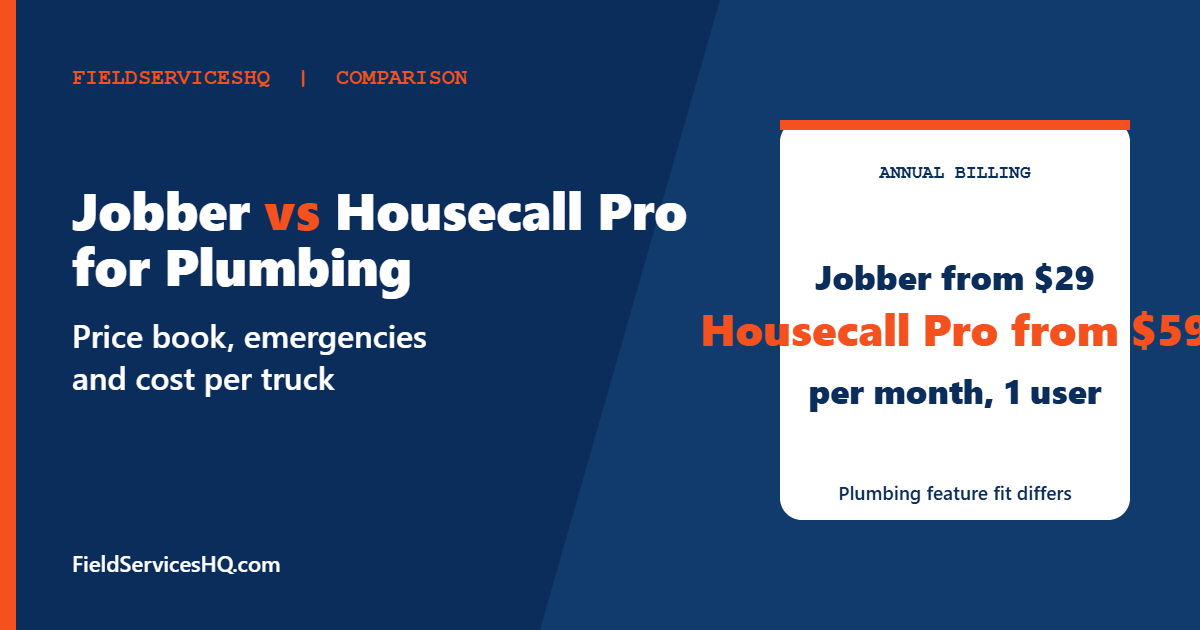
| Entry price, annual billing | Core $29 for 1 user | Basic $59 for 1 user |
Plan placement comes from each vendor’s pages, read in November 2026. Ask for it in writing before you sign.
What a plumbing shop needs from software
Plumbing differs from most trades in a few ways that decide which tool feels right.
- Emergency dispatch. A sewer backup at 10pm is a job that pays well and cannot wait. You need to see who is closest and send them with a customer text.
- Flat-rate pricing. Most residential plumbers quote fixed prices for common work, such as a main-line clear or a water heater swap, rather than billing hours. A price book keeps every plumber’s quote consistent.
- Parts and code-compliant materials. Return trips for the right fitting kill the margin on a flat-rate job. Inventory notes and photos help.
- Upsell at the point of repair. A water heater replacement often brings an expansion tank, a drain pan and a flush. A tool that makes optional items easy raises the ticket.
- Repeat revenue. Maintenance memberships, water heater flushes and annual backflow or inspection reminders smooth a business that otherwise swings with weather and emergencies.
What Jobber offers plumbers
Jobber’s plumbing page highlights quoting and dispatch. Plumbers can build quotes in the field with good-better-best options, photos and verified reviews from past jobs, and Jobber AI drafts estimates from past jobs and your templates. Optional line items let customers tick the upgrades they want while the total updates automatically. Jobber’s own examples are water heater upgrades, expansion tanks, drain pans and drain cleanings.
For dispatch, the page says you can send emergency work orders to the closest technician, reassign and reschedule when an emergency lands, and notify the team and customer automatically. On-my-way texts carry ETA updates, and a drag-and-drop calendar is listed. Routes are built on drive time to cut fuel use.
On payments, customers can pay on site, online or automatically by card, US bank transfer or Tap to Pay on a phone, and financing is available through a Wisetack integration. Jobber also lists a Home Depot integration that provides pricing and local inventory for quotes, which is a practical touch for materials-heavy jobs, plus QuickBooks Online, Xero and Gusto.
What the plumbing page does not describe is a flat-rate price book or per-property equipment history. A third-party roundup lists the missing price book as a drawback. If flat-rate menus are central to how you sell, ask Jobber to show you the closest equivalent, such as saved line items and templates, before committing.
Jobber also sells an AI Receptionist add-on for $29 per month, which a third-party reviewer says lets you set trigger words such as burst pipe to text you or transfer a call. We could not confirm those details on a vendor page, so ask for a demo if after-hours calls matter to you.
What Housecall Pro offers plumbers
Housecall Pro’s plumbing page is more explicit about trade tools, and it names plans for each:
| Feature | Plan |
|---|---|
| Price book | Basic and up |
| Flat-rate pricing with margins | Essentials and Max |
| Price book commissions, paying techs automatically | Essentials |
| Good-better-best sales proposals | Essentials |
| Membership (service) plans | Essentials on this page |
| Equipment tracking | Essentials |
| QuickBooks Online sync | Essentials |
| Route optimization | Max |
| AI Pricing Insights, job-level pricing benchmarks | Max |
| Open API | Max |
Scheduling, dispatch, estimates, payments, consumer financing and fee-free surcharging are listed from Basic. The page also describes a live crew map and GPS on-my-way texts without tying them to a plan.
A conflict to settle in writing. Housecall Pro’s pricing page lists Recurring Service Plans under Max only, while the plumbing page, and the HVAC page we reviewed for another guide, place membership plans in Essentials. Two of three pages say Essentials, but the pricing page is the one that sets your bill, so confirm before you buy.
What it costs as you add trucks
Annual billing, per month, from each vendor’s published pricing. The arithmetic is ours and excludes card processing, add-ons and taxes.
| Team size | Jobber Connect | Jobber Grow | Housecall Pro |
|---|---|---|---|
| 1 plumber | $99 (Core is $29) | $149 | Basic $59 |
| 5 users | $149 | $229 | Essentials $149 |
| 10 users | $229 | $299 | Max $299 plus 2 extra users at $35, so $369 |
| 15 users | $299 | $399 | Max $299 plus 7 extra users at $35, so $544 |
Housecall Pro lists monthly billing at $79, $189 and $329 for Basic, Essentials and Max. Jobber adds users at $29 each. For a solo plumber the gap is $30 a month, or $360 a year, in Jobber’s favor. At five users the two tie at $149 if Jobber Connect meets your needs, and Housecall Pro’s flat-rate tools start to look like included value. At ten and fifteen users Jobber is cheaper on published prices, but only Housecall Pro lists route optimization and open API on Max.
Three plumbing jobs, two ways
A water heater change-out. In Jobber, a plumber builds a quote with the heater as the base option and ticks as optional the expansion tank, drain pan and a flush, with photos, so the homeowner picks on their phone. In Housecall Pro, the Essentials sales proposal tool presents good, better and best heaters side by side with images, and financing can be offered on the spot. Jobber’s flexibility suits custom installs. Housecall Pro’s structure suits plumbers who sell the same three heaters every week.
A drain clearing at a fixed price. This is where a price book shines. Housecall Pro’s price book, available from Basic, stores the service and the price. In Jobber you would save the service as a line item and reuse it. Both work, and the difference is how easily a new hire finds the right line and how margins are controlled.
A 10pm emergency. Both tools can send the nearest technician and text the customer. The decision factor is who answers the phone. Neither product page we read claims a human call center, so budget for answering coverage separately if you want after-hours calls handled.
What plumbers keep asking
Does Jobber really have no flat-rate price book? The plumbing page does not describe one. Third-party sources say it lacks a built-in book. Treat saved line items as the workaround and judge in a demo.
Is Housecall Pro worth the extra cost? For a solo plumber who quotes by the hour, probably not. For a three-truck shop selling flat-rate repairs and memberships, the price book and proposals can pay for themselves if they lift even a few tickets a week.
Which is better for emergencies? Both list closest-technician dispatch tools. Test how fast a dispatcher can reassign a job and how clearly the customer sees the new ETA.
What about parts? Jobber’s Home Depot integration gives pricing and local inventory for quotes. Housecall Pro’s page emphasizes pricing and equipment history. Neither page describes truck-stock inventory tracking, so check if you carry a lot of parts.
What customers say
| Source | Jobber | Housecall Pro |
|---|---|---|
| G2 | 4.6 from 526 reviews | 4.3 from 205 reviews |
| Capterra | 4.6 from 1,463 reviews | 4.7 from 2,748 reviews |
Neither rating is limited to plumbers. Ask each vendor for two plumbing references of your size and ask what they wish they had known before switching.
Which plumbing business should pick which
- Solo or two-person shop on a budget: Jobber Core or Connect.
- Flat-rate service plumbing with memberships: Housecall Pro Essentials, with plan placement confirmed in writing.
- Phone-driven business with many inbound calls: compare Jobber vs Workiz and Housecall Pro vs Workiz, since Workiz builds calling into the product.
- Heading past 20 trucks: read Jobber vs ServiceTitan and Housecall Pro vs ServiceTitan.
- QuickBooks-centred shop that wants deep trade tools: see Housecall Pro vs FieldEdge.
A 30-day pilot that settles it
Pick two weeks of real jobs and run both trial accounts alongside your current process. Enter the same ten jobs: two emergency calls, three flat-rate repairs, one water heater quote with options, one recurring maintenance customer, one job with a deposit and one commercial customer billed net 30. Time how long each takes to quote, how many taps a plumber needs to close a job with a photo, and whether the customer can approve and pay from a text. Pick the tool your most skeptical technician prefers, since that person will find the friction a demo hides.
Feature and plan placement come from Jobber’s and Housecall Pro’s own plumbing and pricing pages, read in November 2026. Pricing is annual billing from vendor pricing pages. Occupation data is from the US Bureau of Labor Statistics. Cost rows are our own arithmetic. Third-party claims are labeled as such.
Mistakes to avoid
- Assuming flat-rate pricing is on the cheapest plan. It starts at Essentials on Housecall Pro.
- Buying on entry price when you will have five users by next summer.
- Skipping the after-hours question. Software dispatches, but someone still has to answer the phone.
- Ignoring card processing rates, which can outweigh a subscription gap.
- Cutting over during a cold snap, when frozen-pipe calls peak.
Jobber vs Housecall Pro for Plumbing FAQ
Which is better for plumbers, Jobber or Housecall Pro?
Housecall Pro lists more plumbing-specific tools, including a price book, flat-rate pricing and equipment tracking. Jobber costs less at most sizes and handles quoting with upsells and emergency dispatch well.
Does Housecall Pro have a flat-rate price book?
Its plumbing page lists a price book on Basic and flat-rate pricing with profit margins on Essentials and Max.
Does Jobber support emergency dispatch?
Jobber’s plumbing page says you can dispatch emergency work orders to the closest technician and reassign jobs with automatic notifications.
How much does each cost for one plumber?
On annual billing, Jobber Core is $29 and Housecall Pro Basic is $59 per month. Monthly billing costs more, with Housecall Pro Basic at $79.
Can I offer customer financing?
Jobber lists Wisetack financing on quotes, and Housecall Pro lists consumer financing from its Basic plan.
Do they work with QuickBooks?
Jobber lists QuickBooks Online, Xero and Gusto. Housecall Pro lists QuickBooks Online sync on Essentials.
Do they answer after-hours calls?
Neither plumbing page describes a human answering service. Jobber sells an AI Receptionist add-on, and you should confirm what it does in a demo.
Which has better reviews?
Jobber has 4.6 on G2 from 526 reviews and Housecall Pro 4.3 from 205. Capterra shows Housecall Pro at 4.7 from 2,748 and Jobber at 4.6 from 1,463.
Sources
- Housecall Pro plumbing software
- Housecall Pro pricing
- Jobber plumbing software
- Jobber pricing
- BLS Occupational Outlook: Plumbers, Pipefitters and Steamfitters
- Jobber on Capterra