CRM or Field Service Software: What a Service Business Needs
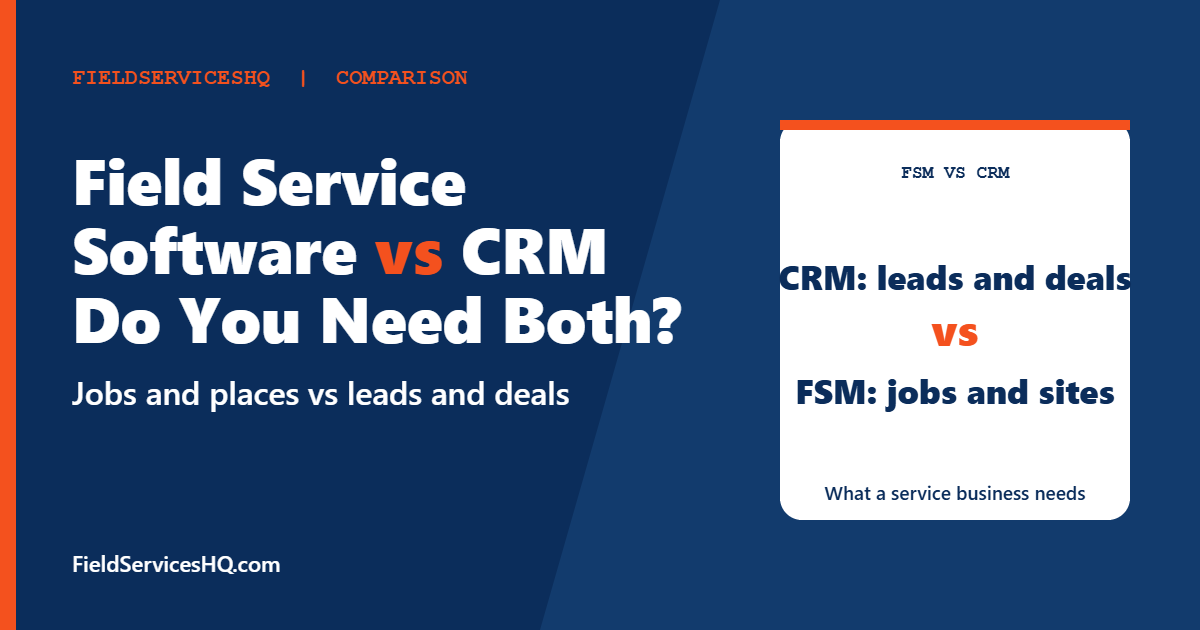
A CRM manages relationships and sales: leads, contacts, deals and follow-ups. Field service software manages the work: scheduling, dispatch, quotes, invoices, payments and service history for each property. Most home service contractors should start with field service software, because it already includes a light CRM. Add a separate CRM when long sales cycles, big marketing programs or many contacts per account outgrow it, and keep one system as the source of truth for customers and jobs.
Every service owner reaches this fork. You have customers in your phone, jobs on a whiteboard and follow-ups in your head, and you need to pick a tool. One camp says get a CRM. Another says get field service software. Both are partly right, and the wrong pick wastes a season.
A small pest control owner posted this exact problem on HubSpot’s community forum. He takes most bookings by phone and tracks jobs on a whiteboard, and he wanted a thank-you the day after a job and a reminder before each quarterly service. The suggestions he received were HubSpot workarounds: track jobs as deals, add a next-service-due date and use tasks for follow-ups. No dedicated field service tool was recommended in the thread, and one responder advised him to start with the basics and not adopt every feature. It is a useful thread because it shows both the appeal of a CRM and the amount of improvising it takes.
This guide explains what each category does, where each breaks for a service business, and how to decide. For vendor-level comparisons, see our Jobber vs Housecall Pro guide and our AccuLynx vs JobNimbus comparison for roofing, where the CRM and the job system are one product.
On evidence: we draw on vendor pages we have reviewed for our software comparisons, public forum threads, and general definitions that agree across several sources. Many articles on this topic come from vendors in one camp, so we mark their framing when it matters.
CRM vs field service software at a glance
| Question | CRM | Field service software |
|---|---|---|
| Primary job | Manage relationships and sales | Plan, run and bill field work |
| Core records | Contacts, companies, deals, tasks, emails | Customers, properties, jobs, schedules, invoices, equipment |
| Typical users | Sales, marketing, owners | Dispatchers, technicians, office staff, owners |
| Starts with | A lead | A job request or a recurring contract |
| Ends with | A closed deal and an ongoing relationship | A paid invoice and a service record |
| Scheduling and dispatch | Not built in | Core feature |
| Technician mobile app | Not built for field work | Core feature |
| Quotes, invoices, payments | Sometimes through add-ons | Core feature |
| Marketing automation | Often strong | Usually basic |
| Recurring service | Needs workarounds | Usually built in |
The pattern is consistent across sources: a CRM is organized around people and deals, while field service software is organized around jobs and places.
What a CRM does well
A CRM keeps every lead and customer in one place. It records calls and emails, assigns follow-up tasks, moves prospects through stages and reports on sources and conversion. For a business with long sales cycles, such as a commercial roofing bid, a solar proposal or a multi-site facilities contract, that structure is valuable. For a business that runs a large marketing program, the CRM’s email, forms and campaign tools are its main strength.
The pest control owner’s thread shows what a good CRM habit looks like: store every customer with a phone number and last service date, log calls there, create a task with a due date after each job, and use a date property to trigger reminders. Commenters said a daily task list was the biggest practical benefit, and that contacts alone solved the problem of everything being in his head.
What field service software does well
Field service software starts from the work. A customer calls, a booking comes through the website or a contract creates a visit. The software puts a job on a calendar, sends the right technician, tells the customer when to expect them, captures what was done, creates an invoice and takes payment. It stores service history by property and equipment, so the next technician knows what happened last time.
Examples from vendor pages we reviewed show the range. Jobber and Housecall Pro describe recurring visits, route tools, estimates, invoicing and online payments. GorillaDesk describes chemical records, recurring service plans and device barcodes for pest work. Skimmer describes readings, dosages and service reports for pool routes. ServiceTrade describes deficiency tracking and compliance reports for commercial contractors. None of that is typical CRM territory.
Where a CRM alone breaks for a service business
Forum answers and vendor guides line up on the same gaps.
Scheduling and dispatch. A CRM can hold an appointment date. It does not match technicians to jobs, avoid double-booking, show a drag-and-drop calendar or reorder a route.
The field app. Technicians need directions, job notes, checklists, photos, signatures and payments on a phone. A CRM’s mobile app is built for sales reps updating deals.
Invoicing and payments. Some CRMs take payments through add-ons. A job-based invoice with line items, tax, deposits, card on file and QuickBooks sync is the territory of field service tools.
Recurring work. A quarterly pest visit or a monthly cleaning must appear on the schedule, create a visit and bill each time. In a CRM you build that with date properties and automation, which works for a handful of customers and strains as the list grows.
Service history per property. Customers move, equipment changes, and a technician needs the past work on this house or this unit. CRMs organize by contact or company, not by site and asset.
A landscaper in a public forum thread put it bluntly: HubSpot is great for marketing and early sales, but it falls short on field service. Another replied that they had switched from HubSpot to a landscaping platform for the field app and proposals. These are individual opinions, but they match the structural gaps above.
Where field service software alone breaks
The reverse is also true, especially as a business grows.
Marketing automation. Field service tools send reminders and review requests, and some include email and text campaigns. A dedicated CRM usually goes deeper on segmentation, sequences and lead scoring.
Long sales cycles. A tool built for a same-day repair is not designed to track a six-month commercial bid with five stakeholders. Several vendors add pipeline features to cover it. Housecall Pro’s Max plan lists a pipeline, GorillaDesk’s Growth plan lists sales opportunities and pipeline reporting, JobNimbus is organized around boards and automations, and AccuLynx lists a sales and CRM pipeline. Check whether yours is deep enough for your sales process.
Multi-contact accounts. Property managers, facilities teams and general contractors have many contacts and decision makers per account. Field service tools usually have a simpler contact model.
Reporting across the funnel. Marketing to booked job to revenue is a long chain. A CRM is built to join it, though a field service tool may cover the part from lead to invoice.
Light CRM inside field service software
Many field service tools now include enough CRM for a typical home service business: customer records, lead capture through a request form, quote follow-up, tags, reminders and reviews. A contractor with a few technicians and mostly residential work may never need more.
A roofing or restoration contractor is the clearest case where the two merge. AccuLynx and JobNimbus both describe lead pipelines alongside estimates, proposals, production and material ordering, and both are used as the CRM and the job system. The same is true for several trade-specific tools.
Three setups that work
One system. Choose field service software with a built-in pipeline. Best for a small team, simple sales and mostly residential work.
Field service plus a CRM, with one source of truth. Keep the CRM for marketing and sales, and use the field service platform as the operational record for jobs, invoices and history. A consultant guide on this setup warns not to assume that a marketplace listing means the records you need sync in both directions, which is worth checking before you rely on it. Decide which system owns the customer record, and write it down.
CRM-native field service. An enterprise platform that puts customer, contract and work order data in one model. It fits larger organizations with complex contracts, and it brings configuration work. See our Salesforce Field Service vs Dynamics 365 Field Service guide and ServiceTitan vs Salesforce Field Service comparison.
How to decide in ten minutes
Answer these honestly.
- Do you send technicians to customer sites? If yes, you need field service software. A CRM alone will not run your day.
- How long is your sales cycle? Same day or a few days points to field service software. Months, with several decision makers, points to adding a CRM.
- Do you have recurring work? Recurring visits point to field service software.
- How much do you spend on marketing? A large program points to a CRM for the marketing side.
- Who will maintain the system? A CRM with custom workflows needs someone who enjoys configuring it. A purpose-built tool needs less setup.
- Do you need the field app? If technicians need photos, signatures and payments, a CRM is not enough.
A realistic example
A residential cleaning company with six crews gets leads from a website and referrals, quotes by phone, and runs recurring visits weekly or biweekly. Its needs are quoting, recurring schedules, checklists, on-site payments and reminders. Field service software covers all of that, and a separate CRM adds cost and double entry.
A commercial roofing contractor spends weeks on each bid, talks to property managers and owners, and tracks drawings and warranties. Its sales process needs a pipeline with multiple contacts and stages. A roofing platform with a CRM pipeline may be enough, or a general CRM may sit beside a job system.
A multi-service contractor with a marketing team runs heavy paid campaigns and wants reporting from ad click to invoice. It may run a CRM for marketing and a field service platform for operations, with a clear rule on which system owns which record.
Questions people ask in forums
“Can I just use a free CRM?” For a very small business with a few customers, yes, as the pest control thread shows. Expect to build reminders and follow-ups yourself, and expect scheduling and invoicing to live somewhere else.
“Will field service software replace my CRM?” For most home service businesses, a good one covers customers, leads, quotes and follow-up. For heavy marketing or long B2B sales, you may still want a CRM.
“What about connecting the two?” Some tools offer integrations or automation platforms can link them. Test which fields sync, which direction they sync and what happens when records conflict.
“Is a CRM-native field service platform better?” It can be for large organizations, but a vendor guide from a CRM company, such as Salesforce’s, naturally favors it. For small teams it brings more configuration than it returns.
Feature examples come from vendor pages reviewed for our software comparisons in November 2026. The pest control example comes from a public HubSpot community thread. Landscaping opinions come from a public forum thread and are anecdotal. Vendor guides on both sides of this question are marked as vendor material. We did not use unverified savings or revenue figures.
Mistakes to avoid
- Picking a CRM because it is popular, then building a scheduling system out of date fields.
- Buying a heavy field platform for a business with a simple sales process.
- Running two systems with no rule on which one owns the customer record.
- Assuming an integration syncs everything in both directions.
- Skipping a pilot with real jobs and real follow-ups.
Field Service Software vs CRM FAQ
What is the difference between field service software and a CRM?
A CRM manages leads, contacts and deals. Field service software manages scheduling, dispatch, quotes, invoices, payments and service history for customer sites.
Do I need both?
Not always. Many field service tools include a light CRM. Add a separate CRM if you run large marketing programs or long, multi-contact sales cycles.
Can I run my service business on a CRM alone?
For a very small business with simple jobs, you can improvise with tasks and date reminders. Scheduling, field apps and invoicing usually need another tool.
Does field service software include a CRM?
Most include customer records, lead capture, follow-ups and reminders. Some offer pipelines, such as Housecall Pro on its Max plan and GorillaDesk on its Growth plan.
Which is better for a roofing contractor?
Roofing platforms such as AccuLynx and JobNimbus combine pipelines with estimates, proposals and production, so they often act as both.
What is a CRM-native field service platform?
It puts customer, contract and work order data in one system, as in Salesforce Field Service or Dynamics 365 Field Service. It suits larger organizations.
How do I connect a CRM to field service software?
Use a native integration or an automation platform, and decide which system is the source of truth. Check which fields sync and in which direction.
Is a free CRM enough?
It can be for a small business that mostly needs contacts and reminders. It will not schedule technicians or send invoices.
Sources
- HubSpot Community: small service business follow-ups
- Salesforce: CRM vs FSM vs EAM vs CMMS guide (vendor)
- Is HubSpot suitable for a commercial landscaping business? (forum thread)
- CRM for HVAC: choose CRM or field service software