
Salesforce, Dynamics 365 or Oracle Field Service: Which Enterprise Platform Fits?
When a field service operation grows beyond a few dozen technicians, the shortlist often stops being about field service apps and starts being about platforms. The question changes from “which tool has the best scheduling screen” to “which ecosystem do we already live in, and which one will our IT team support for ten years.”
Salesforce Field Service, Microsoft Dynamics 365 Field Service and Oracle Field Service are the three names that come up most for large and mid-sized enterprises. They are priced and sold differently, built on different data models, and each has a gravitational pull from the vendor’s wider product line.
This guide compares the three using the pricing pages that exist and G2 data, and it is blunt about what cannot be known without a quote. For two-way detail, see Salesforce vs Dynamics 365 Field Service, Salesforce vs Oracle Field Service and Dynamics 365 vs Oracle Field Service.
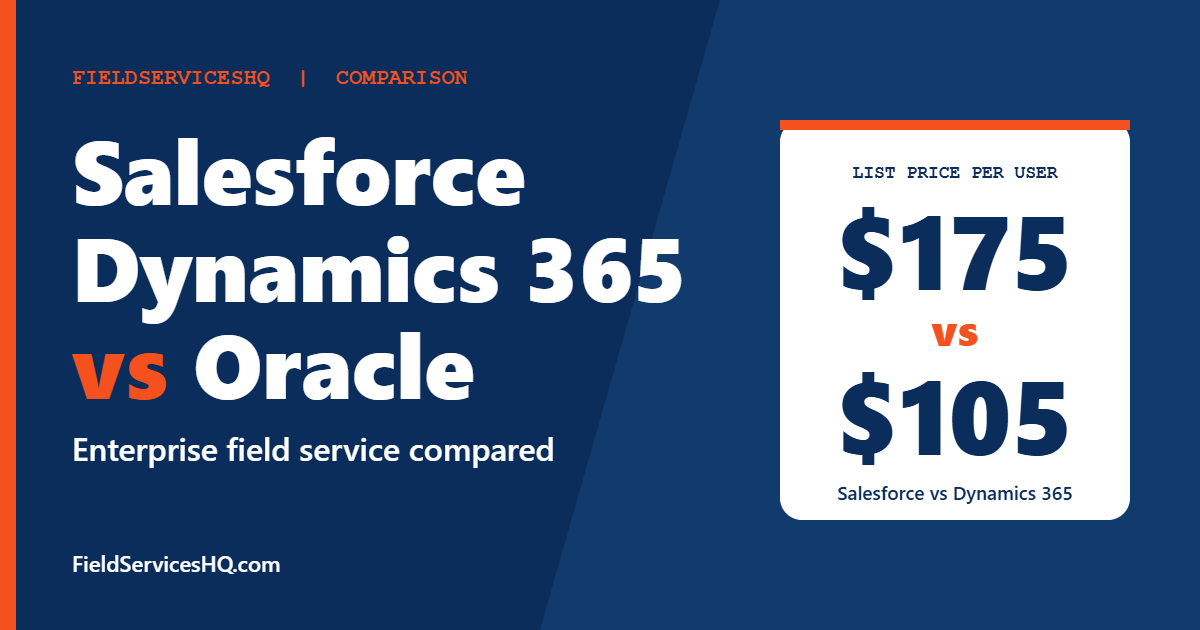
Salesforce and Dynamics 365 both publish per-user prices, with Dynamics starting lower at 105 dollars against 175 for Salesforce Dispatcher or Technician licenses. Oracle Field Service publishes nothing. Salesforce has by far the largest review base on G2 (4.4 from 1,049 reviews) and the strongest product direction score. Dynamics 365 scores 3.9 and Oracle 3.9 from only 23 reviews. The best choice usually follows the platform you already run: Salesforce shops lean Salesforce, Microsoft shops lean Dynamics, and Oracle ERP shops look at Oracle.
Salesforce vs Dynamics 365 vs Oracle Field Service at a glance
| Factor | Salesforce Field Service | Dynamics 365 Field Service | Oracle Field Service |
|---|---|---|---|
| G2 rating | 4.4 (1,049 reviews) | 3.9 (156 reviews) | 3.9 (23 reviews) |
| Published pricing | Yes, per user | Yes, per user | No |
| Entry per-user price | 175 dollars (Dispatcher, Technician) | 105 dollars | Not published |
| Lower-cost field license | Contractor Plus 80 dollars | Contractor 50 dollars | Not published |
| Free trial | Service Cloud 30-day trial | Free trial offered | Not stated |
| Contract | Annual for per-user products | Priced yearly | Ask |
| G2 product direction | 8.9 | 7.6 | 7.5 |
| Natural home | Salesforce CRM and Service Cloud | Microsoft 365, Dynamics, Azure | Oracle ERP and cloud suite |
G2 still shows Salesforce Dispatcher and Technician at 165 dollars. Salesforce’s own pricing page now lists 175 dollars for Enterprise Edition. We use vendor pages throughout. Oracle Field Service has no public price, and we do not state one.
Published pricing in detail
Salesforce Field Service
Salesforce lists these Enterprise Edition prices per user per month, billed annually:
| Product | Price |
|---|---|
| Frontline Workforce Management | 30 dollars |
| Dispatcher | 175 dollars |
| Technician | 175 dollars |
| Contractor Plus | 80 dollars per user, or 32 dollars per login |
| Field Service+ Core | 250 dollars |
| Field Service+ Advanced | 450 dollars |
| Field Service Max | 650 dollars |
Unlimited Edition lists Dispatcher and Technician at 330 dollars per user per month. The rules matter as much as the prices: field service requires at least one Service Cloud user license, technicians and contractors need at least one dispatcher to use the scheduling tool, and Dispatcher and Technician licenses cannot be used for contact center or case management applications. All per-user products require an annual contract, and monthly login-based contractor licenses are available through sales. A Standard success plan is included, and Premier comes with Core, Advanced and Max.
Dynamics 365 Field Service
Microsoft lists:
| Item | Price |
|---|---|
| Dynamics 365 Field Service | 105 dollars per user per month, paid yearly |
| Field Service Contractor | 50 dollars per user per month, paid yearly |
| Scheduling add-on | 30 dollars per resource per month, paid yearly |
The page notes the scheduling price assumes Resource Scheduling Optimization on a single tenant. Copilot Studio agents use Copilot Credits, available as a pre-purchase plan with savings of up to 20 percent or pay-as-you-go, and neither shows a dollar price. An Azure subscription is required to use agents. Microsoft states that displayed prices are informational and may differ by currency, country or region, with the actual price shown at checkout.
Oracle Field Service
Oracle does not publish prices for Oracle Field Service. Third-party estimates exist, but they do not agree and none come from the vendor, so we do not repeat them. Ask for a written quote that lists users, modules, hosting, support tier and contract length.
What a 20-person team costs on published prices
Assume 5 dispatchers or office users and 15 technicians. Monthly cost at list price:
| Item | Salesforce Enterprise | Dynamics 365 |
|---|---|---|
| 20 licensed users at the base field service price | 20 x 175 = 3,500 | 20 x 105 = 2,100 |
| Scheduling add-on for 15 resources | Scheduling tool is used through Dispatcher licenses, confirm scope | 15 x 30 = 450 |
| Subtotal | 3,500 | 2,550 |
| Required platform license | At least one Service Cloud license, price not in this table | Not stated on pricing page |
If 10 of your 20 users are contractors who only need limited access, Salesforce Contractor Plus at 80 dollars each would be 800 for ten, and Dynamics Contractor at 50 dollars each would be 500 for ten.
These are our arithmetic from list prices. They leave out implementation, integrations, Copilot or Agentforce credits, storage, sandboxes and support upgrades, which in enterprise projects are often larger than year-one license fees. The comparison also assumes that each plan’s features line up, which they do not completely: Salesforce says technicians need a Dispatcher license to use its scheduling tool, whereas Dynamics lists scheduling optimization as a separate add-on. Use these numbers to frame a quote request, not to replace one.
What G2 reviewers say
| G2 category | Salesforce | Dynamics 365 | Oracle |
|---|---|---|---|
| Meets Requirements | 8.6 | 8.6 | 8.2 |
| Ease of Use | 8.3 | 8.3 | 7.6 |
| Ease of Setup | 7.8 | 8.0 | 7.9 |
| Ease of Admin | 8.3 | 8.3 | 7.9 |
| Quality of Support | 8.6 | 8.3 | 7.6 |
| Good Business Partner | 8.7 | 8.4 | 7.5 |
| Product Direction | 8.9 | 7.6 | 7.5 |
Scores are out of 10. Salesforce’s rest on 180 to 963 responses, Dynamics on 47 to 135 and Oracle on 8 to 19, so Oracle’s numbers are directional at best. Oracle’s listing on G2 appears under an older Siebel name.
Reading the table:
- Salesforce and Dynamics tie on most lines. Meets requirements, ease of use and ease of admin are identical at 8.6, 8.3 and 8.3.
- Salesforce leads on support, partner and product direction. The gap is largest on product direction, 8.9 against 7.6, which suggests reviewers see more momentum in Salesforce’s roadmap.
- Dynamics edges Salesforce on setup, 8.0 against 7.8, though Dynamics’ sample is only 50 responses.
- Oracle trails on most lines, with the smallest samples.
Reviewer themes
- Salesforce: Praise for ease of use, scheduling management, automation, AI-driven dispatch and client management. Criticism of a learning curve, form design, complex setup and high cost for smaller teams.
- Dynamics 365: Praise for easy integration, scheduling and a comprehensive feature set. Criticism of time-consuming setup, customization difficulty, expensive licensing, slow performance and reporting challenges.
- Oracle: Praise for customer support, ease of use and real-time data. Criticism of a learning curve, customization difficulties, high cost and slow performance.
G2 reports average discounts of 13 percent for Salesforce and 15 percent for Dynamics 365, with too few Oracle reviews to report one, and about 6 months to implement for Salesforce and Oracle based on user responses. Both signals suggest negotiation is routine.
The decision most buyers actually face
If your company runs on Salesforce
Salesforce Field Service lives on the same data model as your sales and service cloud records. Work orders, accounts, assets and cases connect without a bridge. That saves integration work and gives your admins one tool to learn. If you need deeper asset logic, look at ServiceMax, which runs on top of Salesforce, and read our ServiceMax vs Salesforce Field Service guide.
If your company runs on Microsoft
Dynamics 365 Field Service fits naturally with Microsoft 365, Teams, Power Platform and Azure. A lower per-user list price and tight integration with tools your staff already use are the draw. G2 reviewers cite integration and a comprehensive feature set as strengths and setup time and licensing cost as weaknesses.
If your company runs on Oracle
Oracle Field Service makes the most sense when Oracle ERP, supply chain and cloud services already anchor your operations. The lack of published pricing and the smaller review base mean you should rely more on references and a proof of concept.
If you run none of these
Then the question is partly about vendor strength. Salesforce has the largest review base and the strongest product direction score. Dynamics has the lower list price. Oracle is the most opaque. Consider whether a smaller or more specialized product fits better, for example our ServiceTitan vs Salesforce Field Service comparison for home service operations.
Questions to ask each vendor
- What is the all-in monthly and annual cost for our exact user mix, including required platform licenses?
- Which add-ons, credits or consumption charges apply to AI features?
- What implementation approach do you recommend, who does it and what is the typical timeline?
- How do you license contractors and part-time workers?
- What does the support plan include, and what is the cost for premium tiers?
- Which customers with our workforce size and industry can we speak to?
- How does the mobile app work offline, and how are conflicts resolved?
- What are the contract terms, renewal caps and exit support?
How to run a proof of concept
- Define three scenarios: a routine repair, an emergency reschedule and a multi-visit project.
- Load a realistic sample of 500 assets, 50 technicians and 200 open work orders.
- Measure first-time fix tracking, schedule changes and mobile workflows.
- Include admin time: how long does it take your team to change a form or add a field?
- Score results with a simple rubric and have both office staff and technicians rate usability.
Mistakes to avoid
- Comparing per-user prices without platform requirements. Salesforce requires a Service Cloud license, and Dynamics agents need Azure.
- Using directory prices. G2’s 165 dollar Salesforce figure lags the vendor’s current list.
- Ignoring consumption charges. Copilot Credits and similar items can add up.
- Overweighting a small review sample. Oracle’s 23 reviews tell you little with confidence.
- Skipping total cost of ownership. Implementation and integration often outweigh licenses in year one.
Salesforce vs Dynamics 365 vs Oracle Field Service FAQ
Which is cheapest?
On published list prices, Dynamics 365 Field Service at 105 dollars per user per month is lower than Salesforce Dispatcher or Technician at 175 dollars. Oracle does not publish a price. Total cost depends on required platform licenses, add-ons and implementation.
How much does Oracle Field Service cost?
Oracle does not publish prices. Third-party estimates exist but are unverified, so request a quote.
Which has the best reviews?
Salesforce scores 4.4 on G2 from 1,049 reviews, while Dynamics 365 scores 3.9 from 156 and Oracle 3.9 from 23. Salesforce also has the highest product direction score at 8.9.
Do I need Service Cloud to use Salesforce Field Service?
Salesforce states that Field Service and Operations requires at least one Service Cloud user license, and existing Service Cloud customers need at least one Dispatcher license.
Does Dynamics 365 Field Service include scheduling optimization?
Microsoft lists a scheduling add-on at 30 dollars per resource per month, paid yearly, assuming Resource Scheduling Optimization on a single tenant. Confirm the scope for your setup.
How long does implementation take?
G2 reports about 6 months for Salesforce and Oracle based on user responses, and enterprise projects vary widely with data, integrations and approvals.
Which is easiest to set up?
Dynamics scores 8.0, Oracle 7.9 and Salesforce 7.8 on G2 for ease of setup, but the differences are small and sample sizes vary a lot. Plan for a real project with any of the three.
Can small field service companies use these?
They can, but these platforms are designed for larger operations with IT support. Smaller companies usually do better with lighter products, such as those in our Simpro vs ServiceTitan vs BuildOps guide.
Sources and method note
Salesforce prices come from the Salesforce field service pricing page and Dynamics prices from the Microsoft Dynamics 365 Field Service pricing page. Ratings and category scores come from G2 side-by-side pages for Salesforce, Dynamics 365 and Oracle Field Service. Oracle does not publish prices. Vendors change plans and prices, so confirm current figures before buying.



